



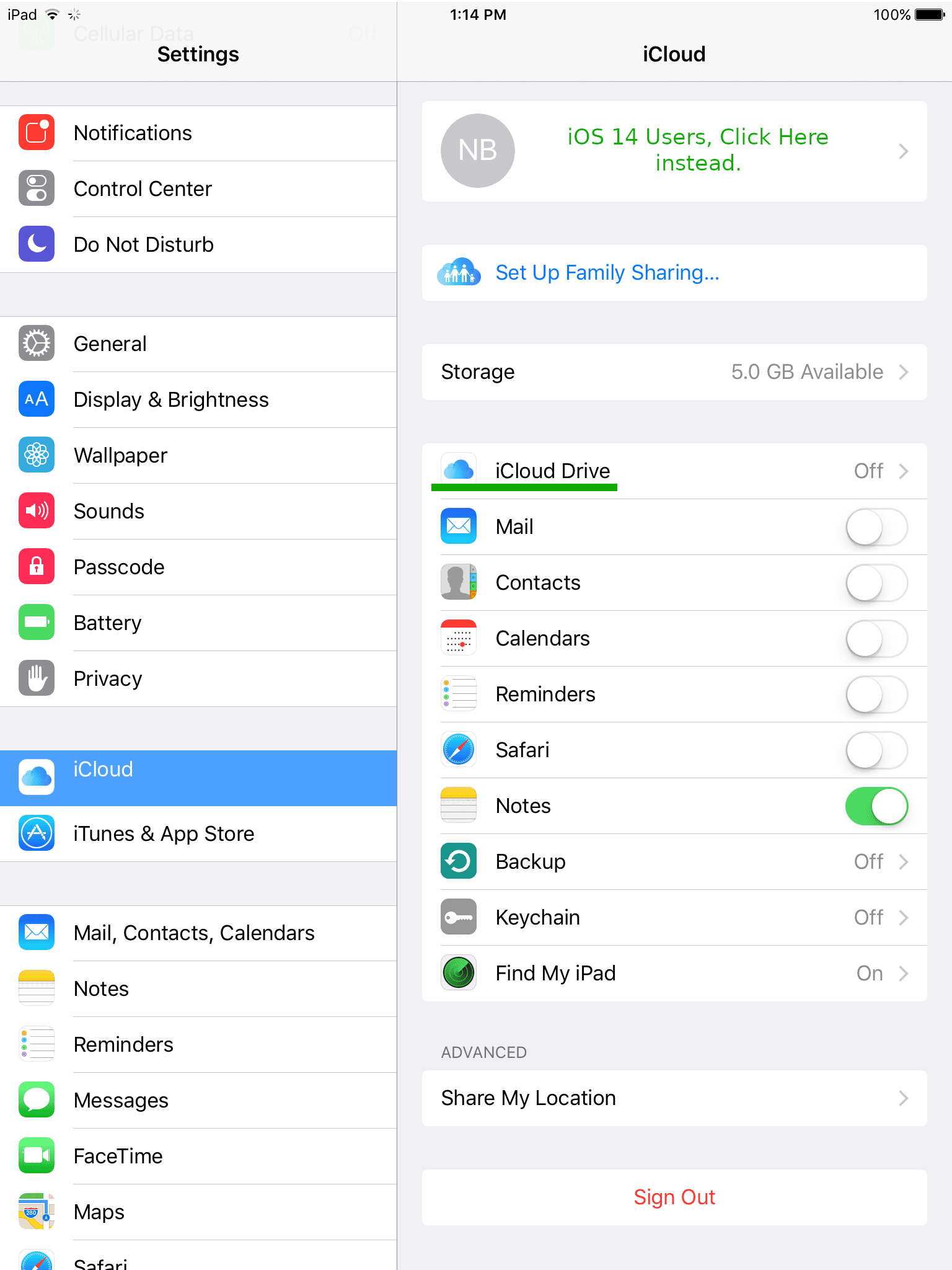
If you’d like to turn off iCloud on your iPhone or iPad, you can do so with a few clicks in the Settings area. Tap the ‘Settings‘ icon (there is a gear on it) on your app or home screen, then tap ‘iCloud‘ in the sidebar at the left (it is highlighted blue). Next, tap ‘iCloud Drive’ on the right (I underlined it in green).
The following instructions are for iOS 9.3. However, they are very similar on other versions of iOS. I included some notes for iOS 14 users.
Tap the toggle switch to the right of ‘iCloud Drive‘, it should turn white to signify that it is off.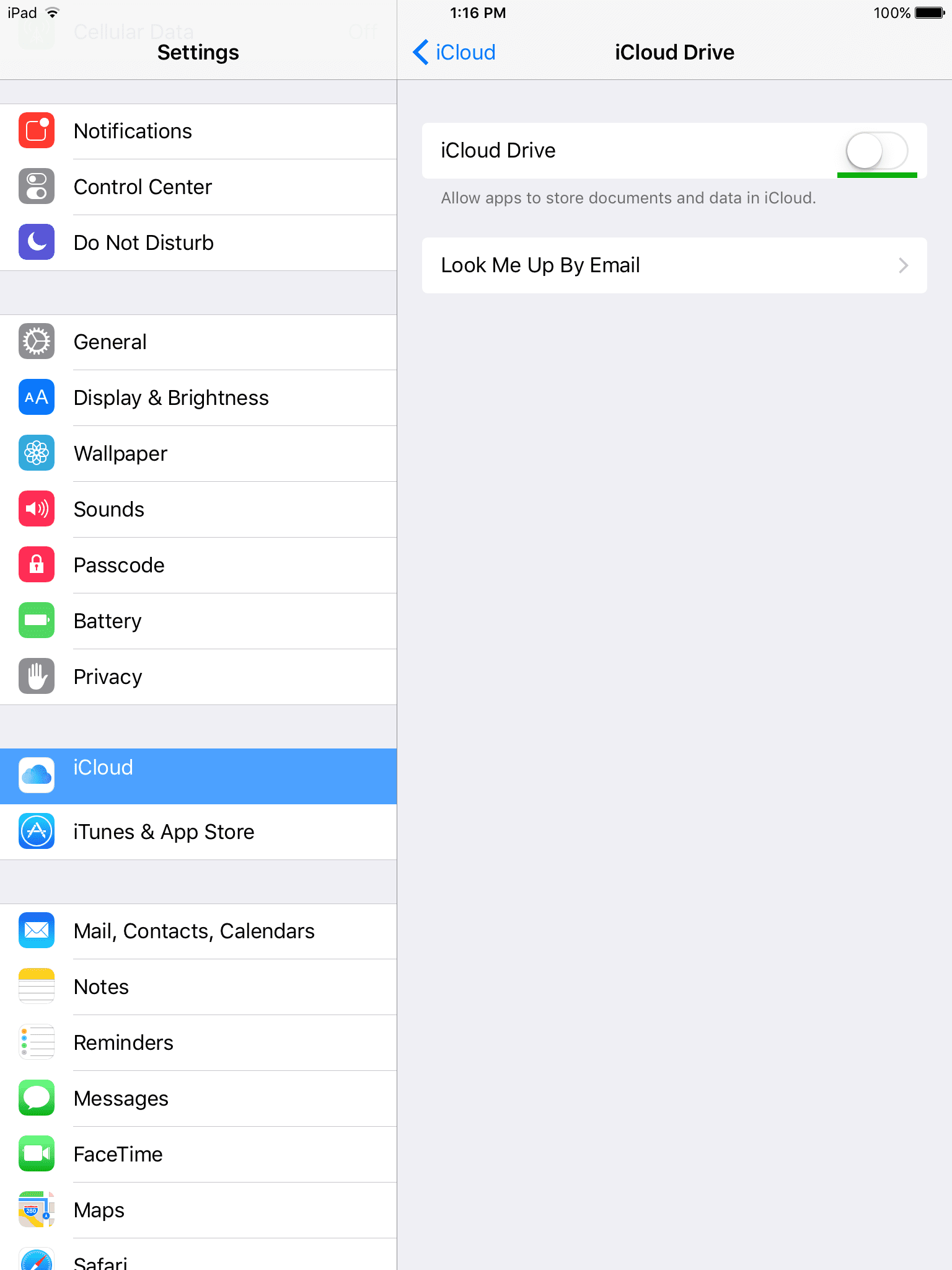
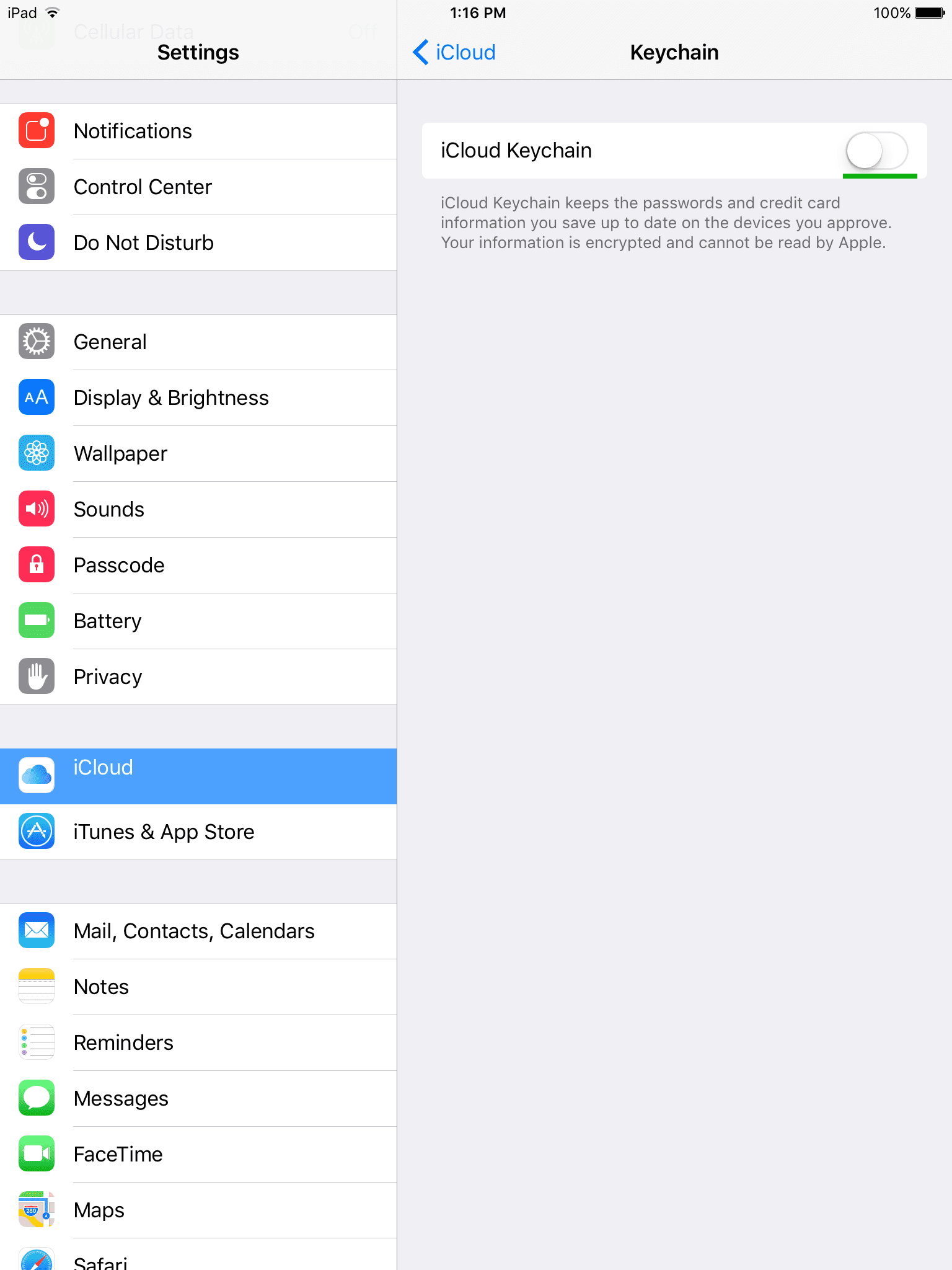
To turn off iCloud Keychain, which stores passwords and credit card information — tap the toggle switch underlined in green.
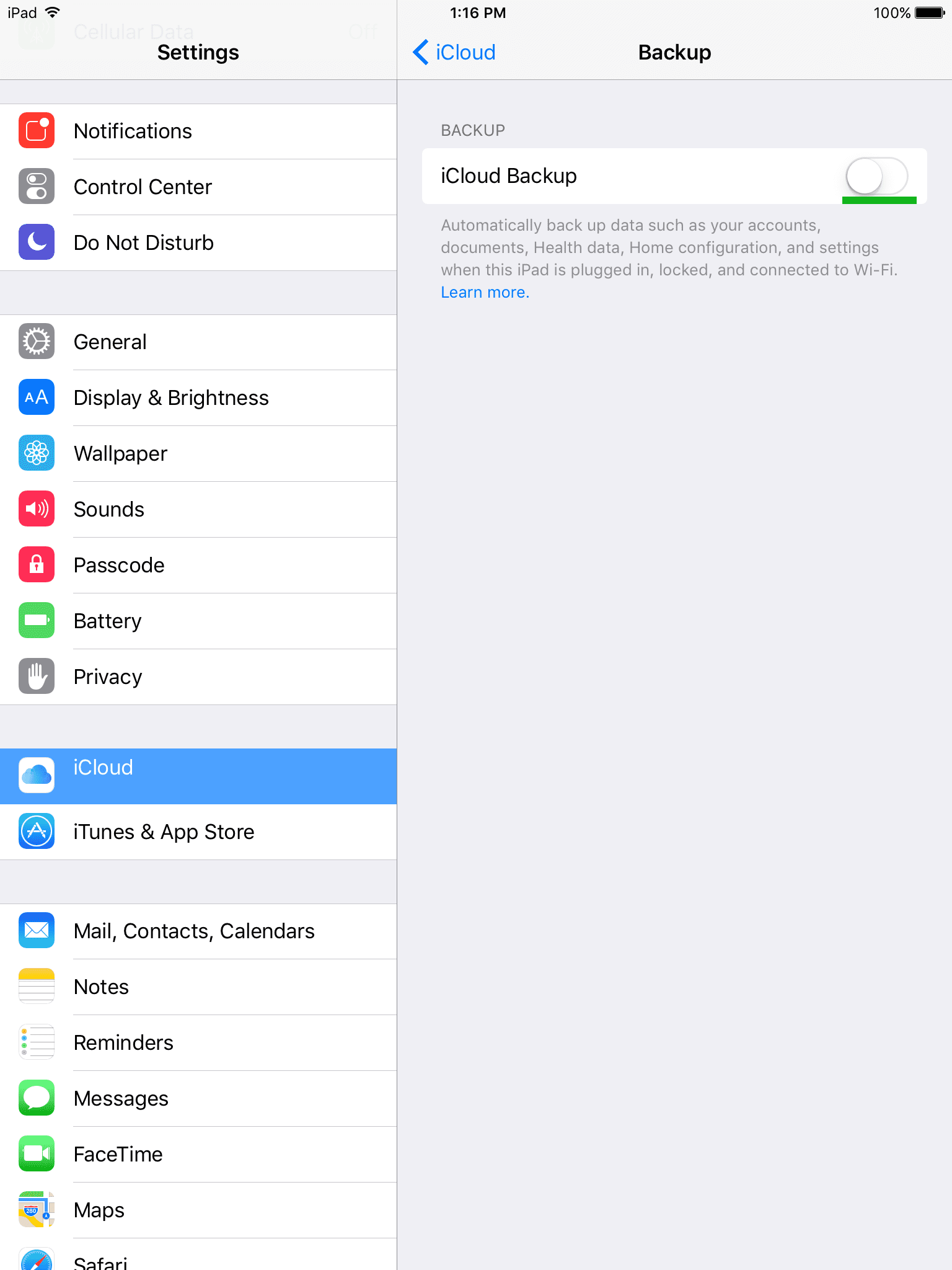
Finally, you can turn off iCloud Backups by tapping the checkbox underlined in green.